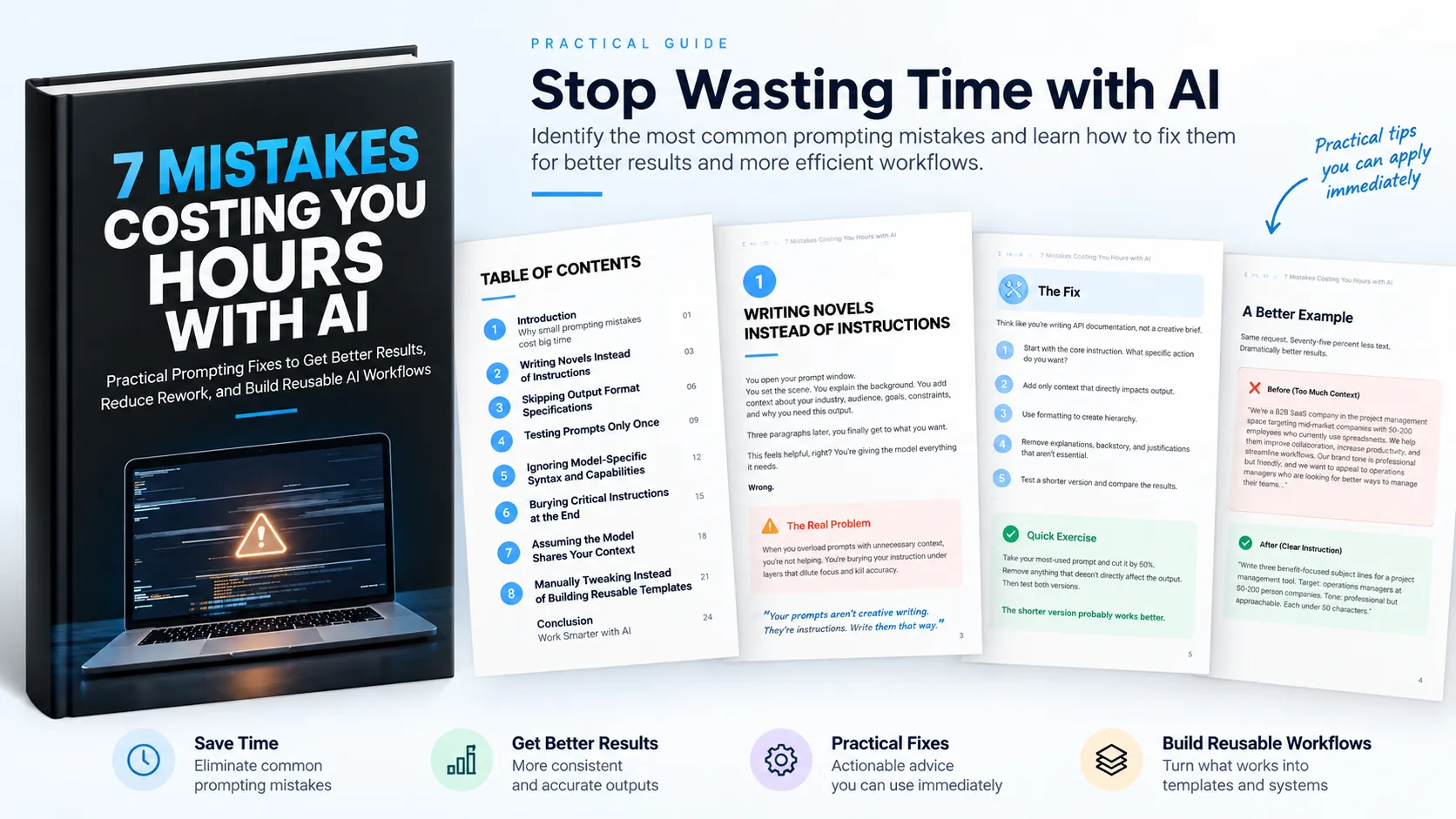
Why AI Can Take More Time Than It Should
Using AI regularly does not automatically mean using it efficiently. The resource begins with a simple observation: there is a meaningful gap between getting a decent AI result and getting an exceptional result without unnecessary rework.
That gap can come from small prompting mistakes. People may spend time manually reformatting outputs, repeatedly running prompts to find a usable result, or starting from scratch when a reusable approach could have been created.
The guide focuses on seven specific mistakes and the practical fixes for each one. The underlying idea is straightforward: better AI workflows come from eliminating repeated inefficiencies and building systems around what works.
1. Writing Novels Instead of Instructions
Long prompts can contain useful information, but unnecessary context can bury the actual instruction. When background, explanations, and justifications overwhelm the task, the model has to determine which information matters most.
The recommended approach is to treat prompts more like instructions than creative briefs. Start with the specific action you want the model to perform, then add only the context that directly affects the output.
Make the Instruction Easy to Find
Use structure to establish hierarchy. Put the main instruction first, place important constraints in a clear list, and keep optional context toward the end.
A useful test is to review your most-used prompt and ask whether removing a sentence would actually reduce output quality. If it would not, remove it. The resource also recommends trying a shorter version of an existing prompt and comparing the results.
2. Skipping Output Format Specifications
An AI response can contain the right information and still be difficult to use if its structure does not match your workflow. Paragraphs may need to become bullets, an output may be too long, or content may arrive in a format that requires manual restructuring.
The fix is to treat format as a core requirement rather than something to correct afterward. Before writing a prompt, define what the final usable version should look like.
- Specify the required length when length matters.
- Define the exact output format, such as a numbered list or structured data.
- List the sections that must appear in the final result.
The resource notes that clear format requirements can also encourage the model to organize information more deliberately. The more precisely the desired structure is defined, the less post-processing may be required.
3. Testing Prompts Only Once
A prompt that produces an excellent result once is not necessarily a reliable production prompt. Large language models can produce different outputs from the same prompt, including differences in structure, focus, information, and quality.
Testing a prompt only once can therefore create false confidence. The resource recommends running important prompts multiple times before relying on them for production work.
Build a Simple Testing Routine
Run a new prompt at least five times and review the outputs together. Look for consistency in structure, quality, tone, accuracy, and adherence to constraints.
Variation can reveal ambiguous instructions, weak constraints, edge cases, or phrasing that occasionally confuses the model. The goal is not simply to find one excellent response, but to understand whether the prompt produces consistently useful results.
The resource contrasts the small investment of testing with the larger cost of discovering an unreliable prompt after it has already been used across multiple projects.
4. Ignoring Model-Specific Syntax and Capabilities
Different language models can interpret the same prompt differently. A prompt that works well in one model may produce different formatting, behavior, or results in another.
The resource emphasizes that this does not necessarily mean one model is better. Instead, models have different strengths, capabilities, preferences, and ways of responding to instructions.
Adapt Prompts to the Model
Build working knowledge of the models you use regularly. Compare how different models interpret the same prompt, follow their model-specific documentation, and create adapted versions of important prompts where appropriate.
The resource gives examples of model-specific approaches, including XML-style structure for Claude and distinct use of system and user messages with GPT models. The broader lesson is to avoid treating language models as completely interchangeable.
5. Burying Critical Instructions at the End
Important constraints can lose effectiveness when they are buried beneath several paragraphs of background information. Requirements such as word limits or restrictions may be clearly stated but positioned too late in the prompt.
The recommended fix is to invert the structure. Put the core instruction and critical constraints at the beginning, then provide supporting context and background afterward.
Put Non-Negotiables First
Use labels such as Requirements: or Constraints: and separate critical instructions visually with line breaks or bullet points. This makes the most important requirements easier to identify.
The resource demonstrates the difference between a context-heavy prompt that places its constraints near the end and a revised version that leads with the task, word limit, and restrictions before adding context.
6. Assuming the Model Shares Your Context
People often carry a large amount of context in their own heads. A prompt can therefore feel perfectly clear to the person writing it while leaving important information unstated for the model.
References such as “do the same thing,” “the approach we discussed,” or “our target audience” can fail when the necessary context has not actually been provided in the current interaction.
Make Context Explicit
Assume the model knows only what has been stated in the prompt or available conversation context. Before writing the instruction, identify the information the model needs to complete the task successfully.
- Define important terms.
- Explain the relevant audience.
- Specify the constraints that affect the result.
- Be specific when referring to previous outputs.
For recurring situations, the resource recommends creating reusable context blocks that can be inserted into relevant prompts. This turns comprehensive context-setting into a faster, repeatable process.
7. Manually Tweaking Instead of Building Reusable Templates
Repeated manual adjustment is another source of wasted effort. If the same type of task appears regularly, creating a prompt from scratch and tweaking the result every time means repeatedly solving the same problem.
The resource recommends looking for recurring patterns and turning them into reusable templates. Instead of maintaining a collection of isolated prompts, build reusable assets that contain the structure, requirements, and constraints that remain consistent.
Turn Repeated Work Into a Template
Review your prompt history and look for similarities across tasks. When you identify a recurring pattern, extract the common structure and replace changing elements with clear variables.
For example, a recurring blog introduction prompt can define the topic, audience, tone, length, and structure as reusable fields. Future tasks then require filling in the variables rather than rebuilding the entire prompt.
Store templates somewhere that makes them easy to retrieve, such as a note-taking application, text expander, or prompt library. The storage method matters less than having a system that makes reuse quick.
Build on What Works
Do not simply save successful prompts. Analyze why they worked and document those useful insights as part of the template. Refine templates through repeated use so the prompt library becomes an increasingly useful collection of reusable assets.
From Individual Prompts to Better AI Workflows
The seven mistakes share a common theme: repeated manual work often signals an opportunity to improve the underlying prompting system.
Clear instructions reduce unnecessary context. Explicit output specifications reduce reformatting. Repeated testing reveals variation before a prompt enters production. Model-aware prompting helps account for differences between models. Front-loading critical requirements makes constraints easier to follow. Explicit context prevents the model from having to guess what the user means. Reusable templates turn repeated tasks into repeatable workflows.
The resource does not suggest fixing everything at once. Instead, it recommends identifying the mistake that most closely matches your current workflow, applying its fix, building the habit, and then addressing another problem.
Start With One Mistake
Improving AI productivity does not require rebuilding every prompt immediately. Start with the problem you recognize most clearly in your own work.
- Identify one recurring prompting mistake.
- Apply the corresponding fix.
- Test the new approach in your actual workflow.
- Turn successful recurring approaches into reusable systems.
- Return to the next source of unnecessary work.
The complete resource brings all seven mistakes, explanations, examples, and fixes together so you can work through them systematically. The objective is simple: stop accepting repeated prompting inefficiencies as normal and build better ways of working with AI.